

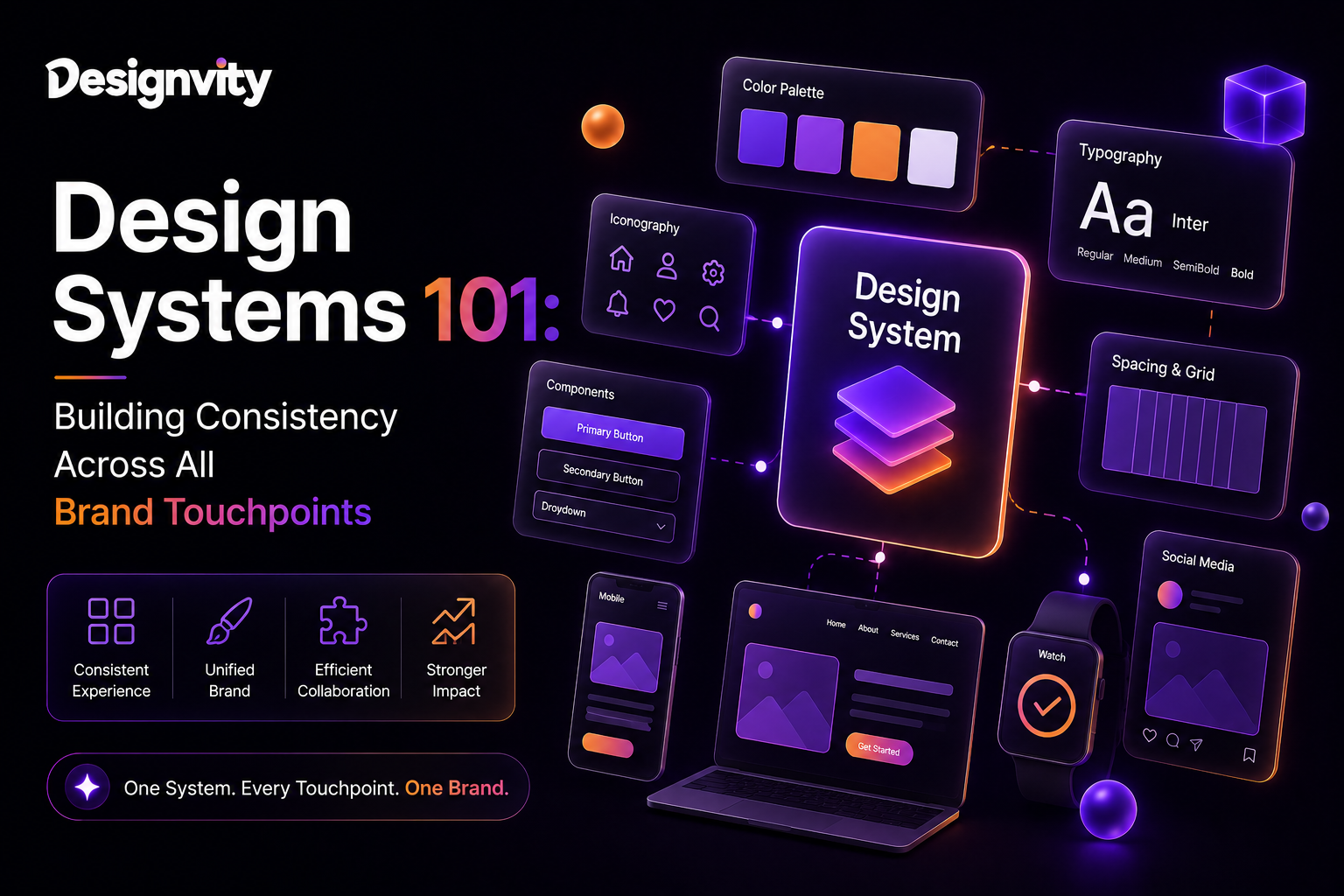
In today’s digital-first world, your customers interact with your brand across multiple channels—your website, mobile app, social media, email campaigns, presentations, advertisements, and even customer support portals. If each touchpoint looks and feels different, it creates confusion and weakens trust.
This is where creating a design system becomes essential.
A design system is more than a collection of colors and fonts. It’s a structured framework of reusable design components, visual standards, and documentation that ensures every digital experience reflects the same brand identity.
Whether you’re a startup building your first SaaS platform or an established enterprise managing multiple products, a design system helps teams work faster, maintain consistency, and deliver exceptional user experiences.
What Is a Design System?
A design system is a centralized collection of reusable UI components, design standards, style guidelines, and development documentation that teams use to create consistent digital products.
Instead of redesigning buttons, forms, navigation menus, and layouts for every project, designers and developers use approved components from a shared design component library.
A modern design system typically includes:
- Brand guidelines
- Typography
- Color palette
- Icons
- Buttons
- Forms
- Navigation patterns
- Cards
- Grid systems
- Design tokens
- Accessibility standards
- Developer documentation
Think of it as the single source of truth for your company’s visual language.
Why Every Business Needs a Design System
As businesses grow, multiple teams often create digital assets independently. Without clear standards, inconsistencies begin to appear.
A design system helps organizations:
- Deliver consistent customer experiences
- Accelerate product development
- Improve collaboration between designers and developers
- Reduce design and development costs
- Simplify onboarding for new team members
- Scale products more efficiently
Companies like Google, Shopify, IBM, Atlassian, and Microsoft rely on robust design systems to maintain consistency across hundreds of products.
Benefits of Creating a Design System
Stronger Brand Consistency
Consistency builds trust and brand recognition.
A well-defined brand consistency framework ensures customers experience the same visual identity across websites, mobile apps, marketing campaigns, and product interfaces.
Faster Design Workflows
Reusable UI components eliminate repetitive work.
Instead of designing the same button dozens of times, teams simply reuse standardized components from the library.
This dramatically reduces project timelines.
Improved Developer Efficiency
Developers no longer need to build common UI elements repeatedly.
Reusable code components reduce bugs, improve maintainability, and accelerate releases.
Better User Experience
Consistent navigation, layouts, and interactions make products easier to use.
Users spend less time learning interfaces and more time accomplishing their goals.
Easier Product Scalability
As businesses launch new features or products, teams can quickly expand existing systems without reinventing the user interface.
Core Components of a Design System
Brand Foundations
Your design system should define:
- Logo usage
- Brand colors
- Typography
- Iconography
- Photography style
- Voice and tone
These elements establish a consistent visual identity.
Design Component Library
Reusable UI components may include:
- Buttons
- Input fields
- Dropdown menus
- Cards
- Navigation bars
- Modals
- Alerts
- Tables
- Forms
- Pricing sections
Every component should include usage guidelines and design specifications.
Design Tokens
Design tokens are reusable variables that define visual properties such as:
- Colors
- Font sizes
- Spacing
- Border radius
- Shadows
- Animations
Using design tokens makes updates easier across multiple platforms.
Layout & Grid System
A responsive grid system ensures consistent spacing and alignment across desktop, tablet, and mobile devices.
Accessibility Standards
A modern design system should include:
- WCAG compliance
- Color contrast requirements
- Keyboard navigation
- Focus indicators
- Screen reader compatibility
- Readable typography
Accessible products provide better experiences for every user.
How to Build a Design System
Step 1: Audit Existing Designs
Review your website, mobile app, and marketing materials.
Identify:
- Duplicate components
- Inconsistent typography
- Different button styles
- Color variations
- Repeated layouts
An audit reveals opportunities for standardization.
Step 2: Define Brand Standards
Document your:
- Logo rules
- Color palette
- Typography hierarchy
- Icon style
- Image guidelines
- Tone of voice
These standards become the foundation of your design system.
Step 3: Create a Component Library
Develop reusable UI components that designers and developers can use across every project.
Examples include:
- Navigation menus
- Hero sections
- Cards
- Buttons
- Forms
- Pricing tables
- Testimonials
- Footers
Consistency starts with reusable building blocks.
Step 4: Document Everything
Good documentation ensures every team member knows how to use the system correctly.
Include:
- Usage instructions
- Best practices
- Accessibility notes
- Code examples
- Responsive behavior
- Do’s and Don’ts
Clear documentation improves adoption and reduces mistakes.
Step 5: Collaborate Across Teams
A successful design system requires input from:
- Designers
- Developers
- Product Managers
- Marketing Teams
- Brand Managers
Cross-functional collaboration ensures the system supports every department.
Maintaining Your Design System
A design system should evolve alongside your products.
Best practices include:
- Regular component reviews
- Version control
- User feedback collection
- Accessibility testing
- Documentation updates
- Governance policies
Assigning ownership to a dedicated design systems team helps maintain quality over time.
Common Mistakes to Avoid
Avoid these common challenges:
- Treating the design system as a one-time project
- Poor documentation
- Too many unnecessary components
- Ignoring accessibility
- Lack of stakeholder adoption
- Inconsistent updates
A successful design system is simple, scalable, and continuously maintained.
Future Trends in Design Systems
Design systems continue to evolve with modern technologies.
Emerging trends include:
- AI-assisted UI generation
- Design tokens for cross-platform development
- Automated documentation
- Multi-brand design systems
- Component-driven development
- Low-code and no-code integrations
- Personalized user interfaces
Organizations investing in scalable systems today will adapt more quickly to future design challenges.
Why Choose DesignVity?
DesignVity helps startups, SaaS companies, agencies, and enterprises create scalable digital experiences through strategic design and development services.
Our expertise includes:
- UI/UX Design
- Design Systems
- Brand Identity
- Product Design
- Website Design
- Web Development
- WordPress Development
- Shopify Development
- React Development
- Creative Subscription Services
Whether you’re building your first product or modernizing an enterprise platform, DesignVity helps you establish a consistent brand experience that scales with your business.
People Also Search For
- What is a design system?
- Design system examples
- UI component library
- Brand consistency framework
- Design tokens
- Atomic design methodology
- Figma design systems
- UI style guide
- Enterprise design systems
- Product design workflow
People Also Ask
What is a design system?
A design system is a collection of reusable components, visual standards, and documentation that helps teams create consistent digital products and maintain a unified brand identity.
Why is a design system important?
It improves collaboration, accelerates product development, reduces inconsistencies, and ensures every customer interaction reflects the same brand experience.
What is included in a design system?
A typical design system includes brand guidelines, typography, colors, reusable UI components, design tokens, accessibility standards, and developer documentation.
What’s the difference between a style guide and a design system?
A style guide focuses on branding elements, while a design system includes reusable components, documentation, development standards, and implementation guidelines.
Who should build a design system?
Startups, SaaS companies, agencies, enterprises, and any business managing multiple digital products can benefit from investing in a design system.
FAQ’s
How long does it take to create a design system?
The timeline depends on the complexity of your products, but many businesses begin with a core component library and expand it over time.
Can small businesses use design systems?
Yes. Even small teams save time, improve consistency, and reduce costs by using standardized design components.
What tools are commonly used for design systems?
Popular tools include Figma, Storybook, Adobe XD, Sketch, and design token management platforms.
How often should a design system be updated?
Review your design system regularly to incorporate new components, accessibility improvements, branding updates, and user feedback.
Does a design system improve development speed?
Yes. Reusable components and shared documentation reduce duplicate work, improve code quality, and accelerate product releases.
Conclusion
Creating a design system is one of the most effective ways to establish brand consistency, improve collaboration, and scale digital products efficiently. By combining a structured brand consistency framework with a reusable design component library, businesses can streamline design and development while delivering a seamless customer experience across every touchpoint.
Whether you’re launching a startup, growing a SaaS platform, or managing enterprise products, investing in a modern design system creates long-term value through faster workflows, better user experiences, and stronger brand recognition.
If you’re ready to build a scalable design system that supports your business growth, DesignVity can help you create a future-ready framework tailored to your brand, products, and customers.